

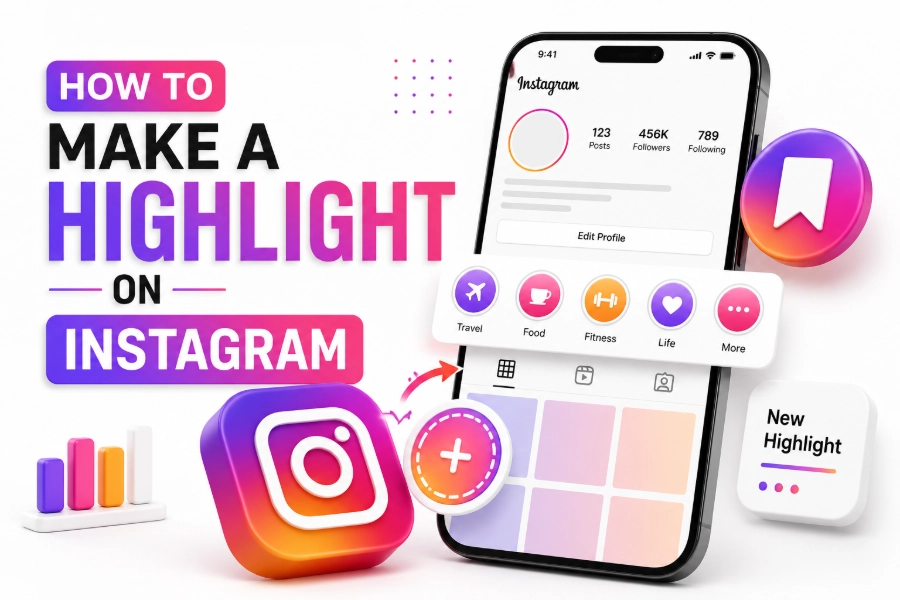
How to make a highlight on Instagram starts with a simple idea: save your best Stories so people can see them after 24 hours. Highlights sit under your bio, so they work like quick profile buttons for your best content, your services, your FAQs, your trips, your products, or your personal moments. When you organize them well, visitors understand your account faster and stay longer.
Instagram says you can add an active Story to Highlights from the Story screen, and you can also create Highlights from archived Stories if your archive is turned on. This guide shows you the full process in plain English, from setup to covers, names, order, mistakes, and FAQs. Read on!
Why Instagram Highlights Matter
Instagram Highlights matter because they turn short-lived Stories into useful profile content. Stories disappear after 24 hours, but highlights stay on your profile until you remove them, which makes them helpful for people who discover you later. Instagram introduced Highlights as curated Story collections that appear as circles on your profile, and that design still makes them one of the fastest ways to guide new visitors.
Your Highlights should answer the first questions people have when they land on your profile. They may want to know who you are, what you offer, how to work with you, what customers say, or where to find your best posts. If someone also wants to research public social pages without logging into each platform, a tool that lets users view any social profile anonymously and freely can support quick browsing while your own Instagram Highlights keep your profile clear and easy to understand.
Highlights also support brand trust because they show proof in one place. You can save testimonials, behind-the-scenes clips, product demos, event recaps, FAQs, and tutorials without forcing visitors to scroll through months of posts. Instagram had at least 1.74 billion users reachable through its ad tools in January 2025, so a clean profile structure helps you stand out in a crowded space.
Expert Tip: Treat your Highlights like the top menu of a website, not like a random storage folder.
How To Make A Highlight On Instagram
How to make a highlight on Instagram is simple when you already have Stories posted or saved in your archive. Open Instagram, go to your profile, and look under your bio for the Story Highlights area. Tap the plus button or New circle, select the Stories you want to include, tap Next, choose a cover, add a short name, and save it.
You can also create a Highlight from a live Story. Open your current Story, tap Highlight, choose an existing Highlight or create a new one, then save it. Instagram’s Help Center confirms that the Highlight option appears at the bottom right of the Story screen when you want to add that Story to Highlights.
Keep your first Highlight focused and easy to understand. A good first Highlight can be “Start Here,” “About,” “Services,” “Shop,” “FAQs,” or “Reviews.” In 2026, Instagram remains a major discovery platform, and reports estimate Instagram has about 3 billion monthly active users, so your profile needs to explain your value quickly.
Turn On Your Story Archive First
Your Story Archive is important because it stores past Stories privately, then lets you reuse them in Highlights. Go to your Instagram settings, open Archive and downloading controls, and make sure Story saving is turned on. Without archived Stories, you may only be able to add Stories that are currently live.
This step matters most when you want to build Highlights from older content. For example, you can group past travel clips, customer reviews, tutorials, product updates, or event Stories into clean categories. If your audience behavior research includes other social platforms, readers who need public Reddit viewing may use browse public reddit profiles anonymously for free for Reddit profiles, while your Instagram Archive helps you organize your own past Stories into useful Highlights.
Do not add every archived Story just because it exists. Pick Stories that still help visitors today, and remove anything outdated, confusing, or off-brand. A 2025 Instagram research paper noted that Instagram systems use very long user histories for recommendations, which is a reminder that old content can still shape how people and systems understand your account.
Expert Tip: Save the best Stories, not the most Stories.
Choose The Right Highlight Categories
The best Highlight categories work like clear signposts. You can create categories such as About, Services, Results, FAQs, Tips, Products, Pricing, Events, Travel, Reviews, Media, Contact, or Start Here. Choose categories based on what your audience needs before they trust you, buy from you, or follow you.
A personal creator may use Life, Travel, Fitness, Recipes, Outfits, Q&A, and Favorites. A small business may use Shop, Reviews, How It Works, New Arrivals, Support, Tutorials, and Behind The Scenes. If your audience also follows short-form video culture, a page on how to browse public TikTok profiles anonymously will serve people who want to view public TikTok profiles quietly, while your Instagram Highlights should still keep your own categories simple and honest.
Do not create too many categories at once. Five to eight strong Highlights usually look cleaner than fifteen weak ones. Reports in 2025 showed that people aged 25 to 34 made up a large share of Instagram’s global audience, so clear profile navigation helps busy users understand your content without extra effort.
Add Stories To A New Highlight
Start with your strongest Story group. Tap New under your profile bio, choose the Stories that belong together, and tap Next. Pick a cover, enter a name, and save the Highlight so it appears on your profile.
If you are adding a Story that is live right now, open the Story and tap Highlight. Then choose the Highlight and place it where it belongs, or create a new one. This is useful for fresh events, new launches, customer questions, or limited-time updates that deserve a longer life.
Keep each Highlight short enough to watch. Instagram may allow large Story collections, but users often leave when they must tap through too many slides. A practical rule is to keep each Highlight focused on one topic and remove weak slides every month.
Add More Stories To An Existing Highlight
You can update an existing Highlight when new Stories fit the same topic. Press and hold the Highlight on your profile, tap Edit Highlight, then add more Stories from your archive. You can also remove Stories that no longer help the viewer.
This is useful when you have ongoing topics. A coach can keep adding client wins to Reviews, a store can add product demos to Shop, and a creator can add answers to FAQs. Updating a Highlight can also bring it forward in your Highlight row, so update your most important categories with care.
Do not turn every update into clutter. If a Story repeats the same point, remove the weaker version. Instagram users spend meaningful time in the app, with 2026 estimates putting average daily time at around 33 minutes, so your Highlights should respect that time by being direct and useful.
Expert Tip: Every Highlight should have a job, and every story inside it should support that job.
Create Custom Instagram Highlight Covers
Custom Highlight covers make your profile look cleaner. You can design them in Canva or another design tool using an Instagram Story size, a simple background, and one centered icon or word. Canva also offers Instagram Highlight cover templates, which makes the design process easier for beginners.
Keep the icon centered because Instagram crops Highlight covers into circles. Avoid tiny text, thin icons, and busy photos because people view covers at a small size. Use colors that match your brand, your feed, or your website so the profile feels planned.
You do not need complicated artwork. A plain background with a clear icon often works better than a detailed image. Reels and short-form content keep growing, with several 2025 marketing reports pointing to Reels as a major Instagram discovery format, but Highlights still help people understand your evergreen information after they land on your profile.
Edit A Highlight Cover
To edit a Highlight cover, press and hold the Highlight on your profile. Tap Edit Highlight, then tap Edit Cover. Choose a Story image or upload a cover from your camera roll, adjust the crop, and tap Done.
You can update covers without changing the Stories inside the Highlight. This helps when you rebrand, change colors, simplify icons, or clean up your profile style. Some tools and guides note that modern Instagram cover editing can use images from your phone gallery, which means you do not always need to post the cover as a live Story first.
Check your profile after editing. Look at the covers from a visitor’s point of view, not only from your own design screen. If the icon is hard to read, make it bigger, simpler, and more centered.
Name Your Highlights Clearly
Highlight names should be short because Instagram cuts off long labels. Use one or two words where possible, such as About, Shop, Tips, FAQs, Reviews, Work, Travel, or Contact. Clear names beat clever names because visitors should understand the topic without guessing.
Your name and cover should support each other. If the cover shows a question mark, the name can be FAQs. If the cover shows a shopping bag, the name can be Shop, Products, or New In.
Avoid names that only make sense to you. Inside jokes, vague words, and long phrases slow people down. In a platform where young adults and creators move quickly through profiles, simple naming gives your best content a better chance to be watched.
Expert Tip: If a stranger cannot understand the Highlight name in one second, rename it.
Organize Highlights In The Best Order
Put the most useful Highlights first. Start with About, Start Here, Services, Shop, Reviews, or FAQs, depending on your account goal. Visitors scan from left to right, so the first few circles carry the most weight.
Instagram moves a Highlight forward when you add a new Story to it. You can use this to keep important Highlights near the front, but do it carefully. Do not add weak content just to change the order, because that hurts the viewing experience.
Your order should match the visitor journey. First explain who you are, then show what you offer, then prove it works, then answer questions, then tell people what to do next. This structure feels natural and reduces confusion.
Use Highlights For Business Growth
Businesses can use Highlights to reduce repeated questions and increase trust. Add product demos, customer reviews, shipping details, booking steps, pricing notes, team clips, and answers to common questions. This helps visitors make decisions before they send a DM.
Service providers should create Highlights that remove doubt. A strong setup can include Start Here, Results, Services, Process, FAQs, Free Tips, and Contact. Each one should make the next step feel easier.
Instagram also keeps adding safety and account features, including expanded teen protections across Instagram, Facebook, and Messenger in 2025. That trend matters for brands because clear, honest, low-pressure Highlights feel safer and more trustworthy than aggressive sales content.
Common Highlight Mistakes To Avoid
The first mistake is adding too many Stories. A Highlight with 70 slides feels like work, not help. Remove repeated clips, expired offers, old event reminders, and anything that no longer fits your profile.
The second mistake is using messy covers. Covers with tiny words, low contrast, or random photos make your profile look unfinished. Use clean icons, clear colors, and consistent spacing.
The third mistake is forgetting a call to action. A useful Highlight can end with “Send me a DM,” “Tap the link in bio,” “Book a call,” or “Save this for later.” The CTA should match the content, not feel forced.
Troubleshooting Highlight Problems
If you cannot find old Stories, check whether your Story Archive was turned on before those Stories were posted. Instagram cannot show archived Stories that were never saved. Also update your app because older versions may show different buttons or cause missing options.
If your cover looks cropped, edit the design and move the icon closer to the center. Leave enough empty space around the edges because the final cover appears as a circle. Test the cover on your profile before making a full matching set.
If your Highlight will not update, close the app and reopen it. You can also check your internet connection, clear app cache where possible, or try again later. Most issues come from archive settings, app version problems, or temporary loading errors.
Conclusion
How to make a highlight on Instagram is easy once you understand the purpose behind it. You are not just saving old Stories. You are building a small profile menu that helps people learn about you, trust you, and take the next step.
Start with your archive, choose a clear category, select only useful Stories, add a clean cover, and use a short name. Then organize your Highlights so the most important ones appear first. When you keep each Highlight focused, fresh, and easy to watch, your Instagram profile becomes more helpful for new visitors and more valuable for your brand.
FAQs
How Do I Make A Highlight On Instagram?
Go to your Instagram profile, tap New or the plus button under Story Highlights, choose Stories from your archive, tap Next, add a cover, name the Highlight, and save it. You can also open a live Story and tap Highlight to add it directly. Instagram supports adding Stories to Highlights from the active Story screen.
Can I Make A Highlight Without Posting A Story?
You usually need a Story source, either from a live Story or your archive. If you want a cover only, many accounts upload a cover image or choose one through Edit Cover. Some current guides show that you can upload a cover image from your camera roll when editing the Highlight cover.
Why Can’t I Add Old Stories To Highlights?
Your Story Archive may not have been turned on when those Stories were posted. Go to your settings and check your archive controls. If the Stories were never archived, they may not be available for Highlights.
How Many Instagram Highlights Should I Have?
Most profiles look best with five to eight clear Highlights. You can create more if each one has a real purpose. Avoid creating so many that visitors feel lost.
What Should I Put In Instagram Highlights?
Use Highlights for About, Services, FAQs, Reviews, Tips, Products, Events, Travel, Behind The Scenes, and Contact. Choose topics that help visitors quickly understand your profile. Remove anything that feels outdated or repeated.
How Do I Change A Highlight Cover?
Press and hold the Highlight, tap Edit Highlight, then tap Edit Cover. Choose a Story frame or upload a cover from your phone, adjust it, and save. Keep the icon centered so it does not get cut off.
Can People See When I View Their Highlights?
Instagram usually shows Story viewers while a Story is active and for a limited time after posting. Viewer visibility can vary by timing and feature behavior. If privacy matters, avoid viewing content from accounts where you do not want your activity noticed.
Do Instagram Highlights Expire?
No, Highlights stay on your profile until you remove them. The original Stories expire after 24 hours, but Highlights keep selected Stories visible. This makes them useful for evergreen information.
Can I Reorder Instagram Highlights?
Instagram does not offer a simple drag-and-drop Highlight order tool. A Highlight usually moves to the front when you add a new Story to it. Use this carefully so your most important highlights stay near the beginning.
What Size Should Instagram Highlight Covers Be?
Use an Instagram Story design size, then keep the main icon centered. The full design is vertical, but Instagram displays the cover in a circle. Leave safe space around the icon to avoid cropping.
Are Instagram Highlights Good For Business?
Yes, Highlights are useful for businesses because they answer questions before someone sends a message. Use them for reviews, product demos, booking steps, FAQs, and proof. Clear Highlights can make your profile feel more trustworthy.
Should I Use Text Or Icons For Highlight Covers?
Icons usually work better because they stay readable at a small size. Text can work if it is short and bold. Avoid small letters because they become hard to read inside the circular cover.
How Often Should I Update Instagram Highlights?
Review your Highlights every month. Remove expired offers, old announcements, weak clips, and repeated Stories. Add fresh proof, better answers, and updated product or service details.