

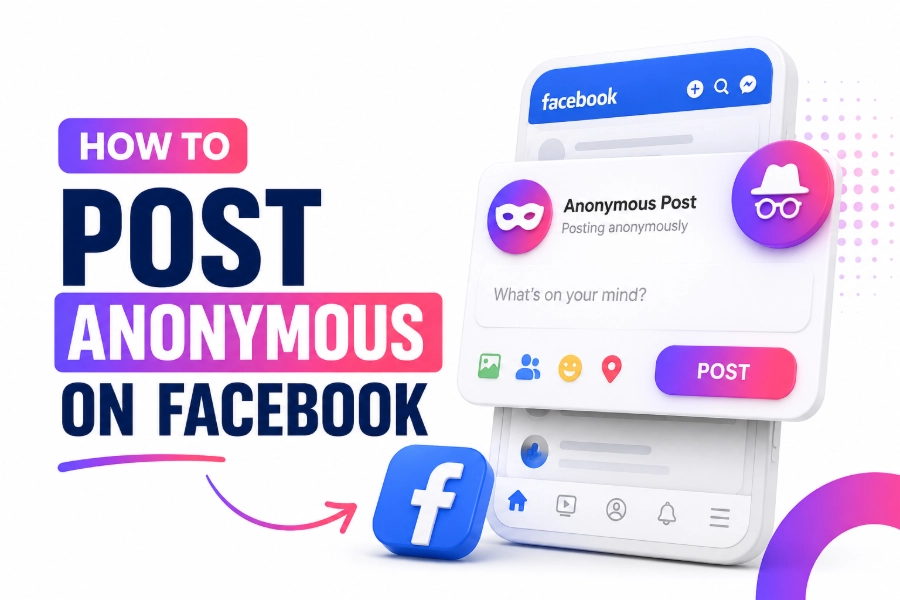
How to post anonymous on Facebook is a common question because many people want help without attaching their name to a sensitive group post.
Facebook gives you that option in some groups, but it does not make you invisible to everyone. You need to know where the feature works, who can still identify you, and how to write a post that protects your privacy while following rules.
Keep reading for more information on this topic!
What Anonymous Posting On Facebook Really Means
Anonymous posting means regular group members see a label like “Anonymous Member” instead of your name, profile photo, and profile link. A privacy-focused tool can help you understand public visibility across social platforms, and view any social profile anonymously and freely fits that idea because it focuses on viewing public social profiles. Use the same mindset on Facebook, because hiding your name from members does not remove admin, moderator, or platform-level visibility.
This feature matters because Facebook still has huge reach. Meta reported 3.56 billion daily active people across its family of apps in March 2026, and Pew found that 71% of U.S. adults used Facebook in 2025. That scale makes anonymous posting useful for sensitive questions, but it also means you should write with care.
How To Post Anonymous On Facebook In A Group
How to post anonymous on Facebook starts inside a group, not on your personal profile. Open the group, tap or click the post composer, choose the anonymous posting option when it appears, write your message, and submit it. Some groups publish the post after approval, while others send it to admins first.
On mobile, open the Facebook app, enter the group, tap “Write something,” and look for a toggle or option for anonymous posting. On desktop, the wording may appear near the composer or inside posting options, so focus on the function instead of one fixed button location. Before you submit, check that the anonymous label is active and remove names, addresses, job titles, screenshots, and exact dates that can reveal you.
Why You May Not See The Anonymous Post Option
You may not see the option because the group admin has not turned it on. The feature belongs to the group, so your personal account settings cannot force it to appear where the group does not allow it. You may also miss it if your app is outdated, your account is not a member, the group limits post types, or Facebook has not rolled the feature out to you.
Update the app, reopen the group, and test the composer again before you assume something is broken. Privacy habits also apply beyond Facebook, and browse public TikTok profiles anonymously describes a tool page built around viewing public TikTok profile content without direct exposure. That comparison helps you separate quiet public viewing from anonymous posting inside a moderated Facebook group.
Who Can See Your Identity Behind An Anonymous Post
Regular members should not see your name when the anonymous option works correctly. Admins and moderators can still see your identity because they need to enforce rules, prevent abuse, and protect the group. Facebook systems can also process account and activity signals for safety, integrity, and moderation.
This is the part many users misunderstand. Other social tools use different visibility rules, and view and download Instagram content anonymously describes anonymous viewing and downloading for public Instagram content rather than hidden group participation. That distinction matters because Facebook anonymous posting hides you from the crowd, not from the platform or the people managing the group.
What To Write In An Anonymous Facebook Post
Write the details people need and remove the details that point back to you. Start with the problem, give enough context, and ask one clear question. Instead of naming your workplace, school, neighborhood, or family member, use broad words like “my job,” “my area,” or “a relative.”
A strong anonymous post is clear without being too personal. About half of U.S. adults visited Facebook daily in 2025, and 37% visited several times a day, so your post may get attention quickly after approval. The cleaner your wording is, the less likely readers are to focus on guessing your identity instead of answering your question.
Expert Tip: Treat every anonymous post like someone who knows you may read it. If three details together can identify you, remove one or rewrite all three. This simple habit protects you better than trusting the anonymous label alone.
Privacy Mistakes That Can Reveal You
Your writing style can reveal you even when your name is hidden. People notice repeated phrases, favorite emojis, spelling habits, dramatic punctuation, and the way you tell stories. If you always write in a certain voice, rewrite the post in a calmer and more neutral style.
Timing can also expose you. Posting right after an office meeting, family argument, school event, or neighborhood incident may make the author obvious. Meta said ad impressions across its family of apps rose 19% year over year in the first quarter of 2026, which shows how much activity moves through its systems and why every visible detail deserves attention.
When Anonymous Posting Helps Most
Anonymous posting helps when your question is sensitive but not harmful. It works well for topics like health worries, debt, divorce, parenting stress, job conflict, housing problems, and social pressure. You can ask for advice without turning your real profile into the center of the discussion.
It also helps in local or niche groups where people may know each other offline. A careful anonymous post can lower fear and invite honest answers, especially when the topic feels embarrassing or complicated. In 2025, Pew found TikTok use among U.S. adults had reached 37%, which shows people now expect more flexible privacy behavior across platforms, but Facebook groups still depend on admin rules.
Expert Tip: Use anonymous posting for support, not for exposure. Ask for options, resources, and next steps instead of trying to shame someone. That approach gets better replies and lowers the chance that moderators reject your post.
When You Should Not Post Anonymously
Do not use anonymous posting to harass, threaten, defame, or spread rumors. The anonymous label does not protect you from group action, Facebook enforcement, or possible legal trouble. If your post names a real person, business, school, or workplace, keep it factual and avoid claims you cannot support.
You should also avoid posting private documents, account numbers, legal files, medical records, or screenshots with identifying details. DataReportal reported 254 million U.S. social media user identities in late 2025, equal to 73% of the population, so a group post can travel further than you expect. If the matter is urgent, dangerous, medical, or legal, contact the right professional first.
How Admin Approval Affects Anonymous Posts
Many Facebook groups send anonymous posts to admins before they go live. This review step helps reduce spam, scams, bullying, false claims, and unsafe content. It also means your post may not appear immediately after you submit it.
Admins can reject anonymous posts that break rules, include too much personal information, or create conflict for the community. In late 2025, DataReportal counted 222 million U.S. social media user identities aged 18 and above, equal to 80.8% of the adult population. Large online communities need moderation, so write your anonymous post in a way that makes approval easy.
How To Comment After Posting Anonymously
Some groups let you comment anonymously on your own anonymous post. This helps you answer follow-up questions without switching back to your visible profile. Still, you should check the label before every reply, because not every comment keeps the same setting.
Do not reveal extra clues in the comments after staying careful in the original post. People often expose themselves later by adding names, exact times, location details, or emotional side stories. Keep replies short, answer only what helps, and avoid turning the comment thread into a full personal timeline.
Expert Tip: Before replying, ask whether the new detail changes your privacy risk. If it does, rewrite the answer in broader language. You can stay helpful without giving readers a map back to your identity.
Safety Checklist Before You Tap Post
Read your anonymous post twice before publishing it. First, check whether it asks one clear question, then check whether it exposes you through details you do not need. A quick review can prevent a privacy problem.
Use this quick checklist before you submit:
- Remove names, rare job titles, and exact locations.
- Delete screenshots unless they are fully cleaned.
- Avoid insults, threats, and unsupported claims.
- Confirm that the anonymous label is active.
- Read group rules before posting.
Expert Tip: If you feel angry, wait before posting. Strong emotion makes people add details they later regret. A calmer version usually gets better advice and keeps your identity safer.
Conclusion
How to post anonymous on Facebook is simple once you understand that the feature works inside groups and depends on admin settings. You open a group, choose the anonymous posting option if it appears, write your message, review privacy clues, and submit it by group rules. The key point is that anonymous posting hides you from regular members, not from admins, moderators, or Facebook systems.
Use it for support, advice, and sensitive questions, but do not use it to attack people or share private information. If the option is missing, update your app, check your membership, and ask a moderator whether the group allows anonymous posts.
FAQs
Can I Post Anonymous On My Facebook Profile?
No, Facebook anonymous posting is mainly a group feature. A normal profile post cannot appear as “Anonymous Member” to friends or followers.
Can Group Admins See Who Posted Anonymously?
Yes, admins and moderators can usually see the real profile behind an anonymous post. Facebook keeps that visibility for moderation and safety.
Why Is Anonymous Posting Missing In My Group?
The group may not allow it, or your account may not have it yet. Update the app and confirm your membership first.
Can I Comment Anonymously On Any Facebook Post?
Usually, no. You may comment anonymously on your own anonymous post, but not on every group post.
Does Anonymous Posting Hide Me From Facebook?
No, it does not hide you from Facebook systems. Facebook can still process account, device, and activity signals.
Do Anonymous Posts Need Admin Approval?
Many groups require admin approval before anonymous posts go live. Approval depends on group rules.
Can Someone Guess My Identity From An Anonymous Post?
Yes, they can guess if your post includes unique details. Your job, timing, writing style, and screenshots can reveal you.
Is It Safe To Ask Personal Questions Anonymously?
It can be safer than posting under your name, but it is not fully private. Keep details broad and never share passwords or account numbers.
Can I Delete An Anonymous Facebook Post?
Yes, you can usually delete your own post if you still have access to it. Deleting it may not remove screenshots from people who saw it.
Should I Use Anonymous Posting For Serious Problems?
Use it for support and general advice, but contact professionals for emergencies, legal issues, abuse, or medical risks. Facebook groups should not replace expert help.